Vanilla Frontend Challenge is a weekly challenge to build UI components with HTML, CSS and Javascript the vanilla way!
View all the challenges in GitHub
View Demo
I'm starting off this challenge with a very simple UI, with very minimal features.
Goal:
- A navigation where each menu item is highlighted when hovered over
- A search box with an icon
- Responsive navigation and body (not included in the mockup but I will include this in every challenge that I'll build)

Designed by uidesigndaily.com
Learnings:
The element has default margins
I couldn't seem to remove the spacing around the navigation. I set _body{ margin:0_; _padding:0_; } and _nav{ margin: 0; padding: 0; }_ but the spacing above and below the navigation wouldn't go away.
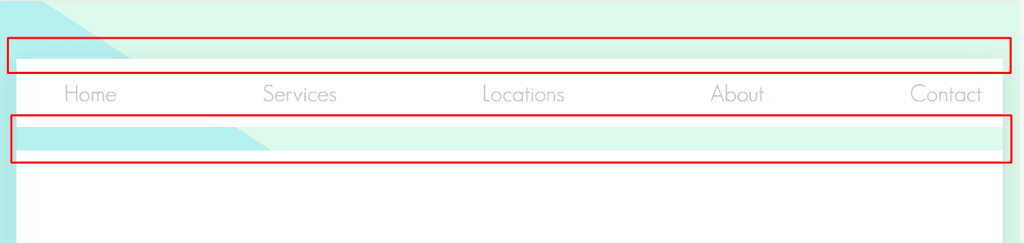
I found out that the culprit was actually the _<ul>_ element, which has default margin properties, which I didn't know until now.
If you inspect a web page (Ctrl+Shift+C or right click -> inspect element), you will see in the development tools _Elements -> Style_s that elements have a user agent stylesheet written above it. These are default styling properties set by the browser.
This is
- element's default styles:
-
text-underline-offset- to specify the distance between the text and the underline -
text-decoration-thickness- to set the thickness (or height) of the underline
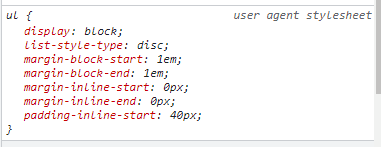
Some of the properties of the element are part of the CSS Logical Properties (which I also just discovered!)
"CSS Logical Properties and Values is a module of CSS introducing logical properties and values that provide the ability to control layout through logical, rather than physical, direction and dimension mappings." - MDN Web Docs
To understand CSS Logical Properties, you can read this explanation of the CSS logical property _margin-block-start_ from CSS-Tricks.
When you're used to using CSS frameworks, you make a mistake of using classes as CSS properties
Lately, I've been using TailwindCSS in my projects and this time, I was trying to hide the menu icon. After a few minutes, I started to get frustrated because the browser wouldn't listen to me. I even tried a hard reload. Well, my bad! 😄
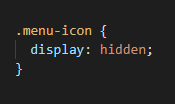
The correct CSS should be _display:_ **_none;_** not hidden. Lol.
In TailwindCSS, the class .hidden is equivalent to display: none
CSS frameworks are great because they save a lot of time in development. I'd recommend learning one and using it if you build client projects.
But one downside to using it that I personally experienced is that I tend to forget some CSS properties or interchange them with the framework classes when I'm required to use plain CSS.
One of the reasons I started Vanilla Frontend Challenge is to refresh my knowledge with the basics after I took a frontend exam for a job and realized how much I didn't know.
This somehow funny mistake was just one evidence that I need to catch up!
You can now set a distance between a text and its underline decoration

Before, to achieve that gap between an underlined text, I'd create a new
after.
Example 1: Using a
Example 2: Using pseudo class
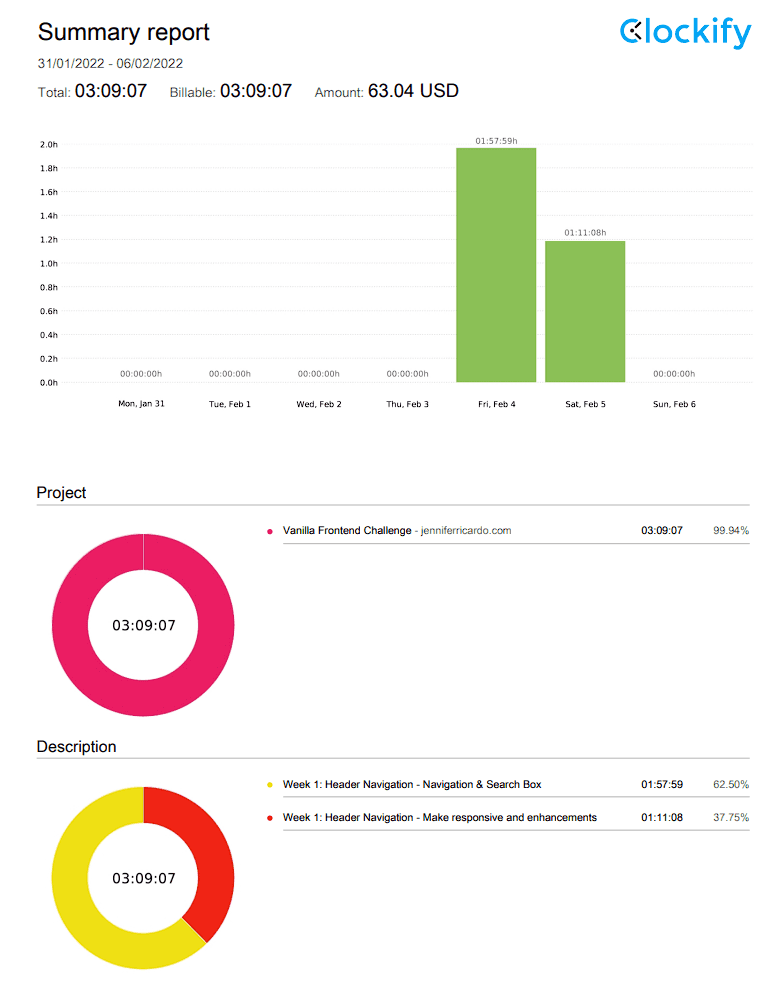
Now, example 1 can be achieved through these CSS3 properties: I haven't found any resources yet to achieve example 2 with a CSS property to set a custom width for the underline. One of the things that I also want out of doing this challenge is to track my speed of development. I'm using Clockify to track my time. This isn't paid. 😆 I intentionally log this as a billable project so I feel more motivated. Total development hours: 03:09:07
Want to do the Vanilla Frontend Challenge? Share it in the comments! All the code is in GitHub.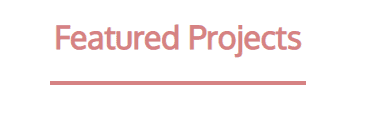
HTML:
<h1>Featured Projects</h1>
<div class="underline"></div>

CSS:
.underline {
    width: 16rem;
    height: 0.25rem;
    background-color: #D68282;
    margin-left: auto;
    margin-right: auto;
}
after
CSS:
    .underline {
      color: #D68282;
      position: relative;
      left: 0;
      text-align: left;
      margin: 0;
      display: inline-block;
    }
    .underline::after {
      content: "";
      bottom: -1em;
      background: #D68282;
      height: 0.3rem;
      left: 0;
      right: 0;
      width: 60%;
      position: absolute;
      margin: 0 auto;
    }

HTML:
  <h1 class="underline">Projects Features</h1>
HTML:
<h1>Featured Projects</h1>

CSS:
h1 {
    color: #D68282;
    text-decoration: underline;
    text-underline-offset: 2rem;
    text-decoration-thickness: 0.35rem;
}
Time Report:
Resources for further reading: